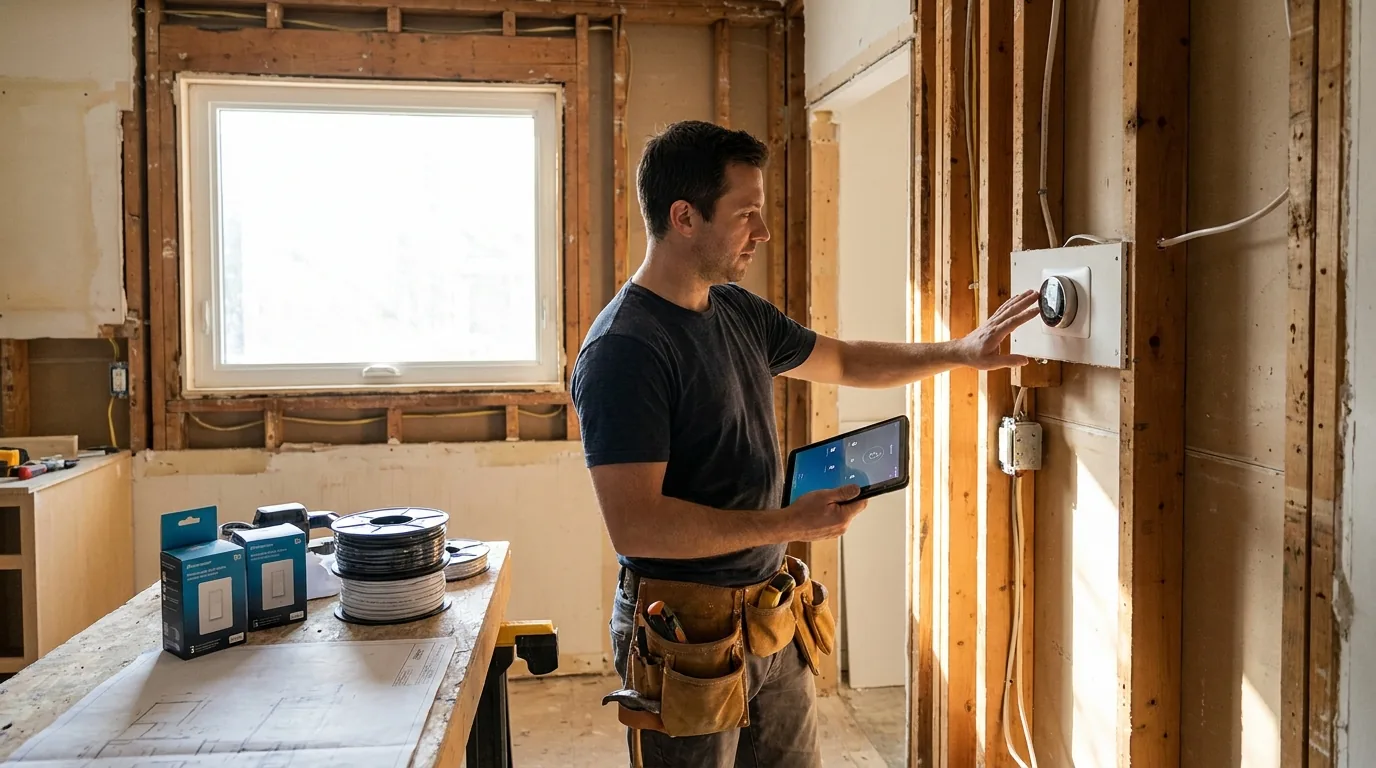
The drywall is the wall. Once it's up, retrofitting smart-home wiring goes from cheap to ten-times-as-expensive. If you're renovating, this is the one chance to do it right.
Most of what I install isn't fancy. It's just smart wiring rough-in: extra neutrals at switches, low-voltage cable runs, ethernet to the right spots, a panel where it all lives. The smart products themselves can be swapped every five years; the wiring lasts 50.
Here's the rough-in plan I run on Ottawa renovations.
Principle one: wire for the next twenty years, not the next gadget
Smart products turn over fast. The Lutron Caseta switch you install today might be replaced in eight years by something that doesn't exist yet. The Cat6 cable behind it will still be doing its job in 2046.
So the rough-in priorities, in order:
- Hardwired ethernet to every important location
- Neutral wires at every switch box
- Conduit or pull-strings to anywhere you might want a wire later (TV walls, ceiling speakers, exterior cameras)
- A central low-voltage panel where it all terminates
- Smart products themselves, last
Smart switches: spec the neutral
This is the most important rough-in detail in any renovation, and it's the one homeowners don't know to ask about.
Old houses in Ottawa (anything pre-1985) often have switch boxes with no neutral wire. They have hot, switched-hot, and ground, but no neutral. Most smart switches need a neutral to power their wireless radios.
If your electrician is already opening walls, this is a 15-minute fix per switch box: pull a neutral. Once the drywall is up, it's a 2-hour fish through walls or a wireless workaround.
What I spec on every renovation:
- Deep switch boxes (the 22-cubic-inch versions, not the standard 18-cubic-inch). Smart switches are physically larger than dumb ones; they don't fit in shallow boxes.
- Neutral wire pulled to every switch box, even the ones we're not making smart this year.
- Lutron Caseta or Lutron RA3 for the smart switches themselves. RA3 for whole-home, Caseta for budget projects. They both work without a hub-cloud dependency.
Ethernet: hardwire what matters
Wi-Fi is great until it isn't. The four hardwired locations I always pull Cat6 to:
- Every TV location. Streaming on a hardwired connection beats Wi-Fi for 4K and live sports.
- Every desk location (home office, kid's bedroom). Video calls drop on Wi-Fi; ethernet doesn't.
- Wireless access point locations. A real network has 2-4 ceiling-mounted access points (Ubiquiti or similar) hardwired back to the panel, not a single router on the floor.
- The location where the modem and router will live. Plus 2-3 spare drops there for printers, NAS, smart home hubs.
The cost of a drop during framing — labour, terminations, and patch panel ports — is a fraction of the cost after drywall, when a wall has to come open to fish the same cable. Pulling cable while the studs are exposed is the budget-conscious move.
"Pull two cables to every location, not one. The marginal cost of the second cable during framing is trivial. The cost of fishing a second cable later, through finished walls, is many times that."
The low-voltage panel
This is the brain of the smart home wiring. It's a wall-mounted enclosure (about 14" wide x 28" tall) that holds the modem, router, network switch, patch panel, and any small smart-home hubs.
What goes in it:
- ISP modem (incoming Bell or Rogers cable, terminated here)
- Router (Ubiquiti UDM, Eero Pro, or similar)
- Patch panel (terminations for every Cat6 cable in the house)
- Network switch (24-port Gigabit)
- Smart-home hubs (Lutron, Hue, Sonos)
- UPS battery backup (so the network stays up during a brief outage)
Mounting location: I prefer a basement utility wall, near the existing electrical panel and the location where the ISP cable enters. Needs three 120V outlets nearby and good ventilation.
Don't put it in a closet
Networking gear runs hot. A sealed closet at 35 °C kills consumer routers fast. If you must put the panel in a closet, vent it (a return-air register or a small computer fan tied to a humidistat). Otherwise, find a utility wall.
Ceiling speakers (rough-in only)
Hardwired ceiling speakers sound better and last longer than any wireless option. The catch: you have to know where they go before the drywall.
What I rough in for an Ottawa home:
- Kitchen: 2 in-ceiling 6.5" speakers wired back to the panel as one zone
- Living room: 4 in-ceiling speakers wired as one zone (left/right pair, plus a centre and surround for casual TV)
- Primary bath: 2 in-ceiling speakers, wired as one zone, on a moisture-rated speaker like Sonance Visual Performance
- Outdoor patio: 2 outdoor-rated rock speakers, wired through the wall to the panel
Even if you're not buying the amplifier this year, pull the speaker cable now (16-2 in-wall rated, inexpensive by the foot) and cap it in the wall. When you decide to add Sonos or a multi-zone amp later, it's a 30-minute hookup instead of a costly fishing job through finished walls.
Video doorbell and exterior cameras
Video doorbells need power. The cheap ones run off the existing transformer; the good ones need a hardwired upgrade.
What I run during framing:
- 16/2 transformer cable from the doorbell location back to the panel, with a dedicated 24V transformer. Some doorbells (Reolink wired, Unifi G4 doorbell) prefer a Cat6 with PoE instead.
- Cat6 to each exterior camera location (front door, back door, driveway, side gate). PoE cameras pull power and data over a single cable.
- Cat6 to every soffit corner if you're not sure where cameras will go. Pull cables, terminate them inside the soffit, leave service loops.
Soffit corners are the right camera location for most homes. They're high enough to get a good angle, sheltered from rain, and the cable is easy to hide.
Smart locks
Most smart locks (Schlage Encode, Yale Assure, August) are battery-powered and need no wiring. Two exceptions worth planning for:
- If you want auto-unlock-as-you-arrive, the lock needs to talk to the home's network. A hardwired bridge near the front door (Ethernet drop in the foyer ceiling, or a smart hub on the same floor) helps.
- If you want hardwired electric strikes (commercial-grade access control), you need 12V cabling pulled to the lock during framing. Niche residential request; standard for short-term rentals or shared properties.
What's worth doing during framing (priority order)
If you're picking what to spend on first, here's my priority list:
- Neutrals at every switch box. The single highest-return rough-in dollar, and a small line item while walls are open.
- Ethernet to TV walls and desks. Solves the streaming and video-call problems forever.
- Low-voltage panel and central network gear. Where everything lives.
- Cat6 to soffit corners for future cameras. Cheap insurance against a future fishing job.
- Speaker cable runs for ceiling speakers. Worth pulling even if you don't buy speakers this year.
- Conduit from basement to attic. So you can pull future cables without opening walls. Underrated.
Total smart-home rough-in for a typical Ottawa whole-home renovation adds a small percentage to the overall renovation scope on top of standard electrical, and it spares you a far larger retrofitting bill later. We itemize every drop and run in the written proposal so you can decide scope line by line.
What's not worth doing
I get asked about these. Skip them or buy them as products, not rough-in:
- Whole-home audio matrix systems. Sonos and Bluesound do this wirelessly now. The matrix amp is a 2010 idea.
- Crestron or Control4 from day one. Lutron + Sonos + a good network does 90% of what these systems do at a fraction of the cost. Save Crestron for the highest-end estate builds.
- Smart appliances connected to a central panel. The fridge talks to Wi-Fi; that's enough.
- Touchscreen wall panels. Phones and Apple TV remotes do this better. The wall panels look dated within five years.
If you're doing a whole-home renovation in Ottawa and you want the wiring done right the first time, our crew handles smart rough-in as part of every full-home project. Free 48-hour walkthrough at 613-862-4555.
Frequently asked questions
Why do smart light switches need a neutral wire?
Most smart switches need a neutral wire to power their wireless radios. Ottawa houses built before 1985 often have switch boxes with only hot, switched-hot and ground, and no neutral. With walls open during a renovation, pulling a neutral takes about 15 minutes per switch box.
After drywall goes up, the same job becomes a 2-hour fish through the wall or a wireless workaround, so pull a neutral to every box, even ones not getting a smart switch yet.
Where should ethernet cable be run during a renovation?
Pull Cat6 to four kinds of location: every TV spot, every desk such as a home office or a kid's bedroom, the ceiling locations for 2 to 4 wireless access points, and the spot where the modem and router will live, with 2 to 3 spare drops there.
Pull two cables to each location rather than one. The second cable costs very little while the studs are exposed and far more to fish through finished walls later.
Where should a home network panel be installed?
A low-voltage panel, about 14 inches wide by 28 inches tall, holds the modem, router, patch panel, network switch, smart-home hubs and a UPS battery backup. The preferred spot is a basement utility wall near the electrical panel and the point where the internet provider's cable enters, with three 120V outlets nearby and good ventilation.
Avoid a sealed closet: networking gear runs hot, and a 35 °C closet kills consumer routers fast.
Should I wire for ceiling speakers during a renovation?
Yes, speaker cable is worth pulling during framing even if the amplifier comes years later. A typical Ottawa rough-in puts 2 in-ceiling speakers in the kitchen, 4 in the living room, 2 moisture-rated speakers in the primary bath and 2 outdoor rock speakers on the patio, each area wired back to the panel as one zone.
Use 16-2 in-wall rated cable and cap it in the wall. Hooking up later then takes about 30 minutes.
How should exterior security cameras be wired during a renovation?
Run Cat6 to each exterior camera location, such as the front door, back door, driveway and side gate, so PoE cameras get power and data over one cable. If camera spots are undecided, pull Cat6 to every soffit corner, terminate it inside the soffit and leave service loops.
Soffit corners suit most homes: high enough for a good angle, sheltered from rain, and easy for hiding cable. A hardwired video doorbell needs its own transformer cable or PoE.
Official references
- Who can do electrical work at my property?, Electrical Safety Authority